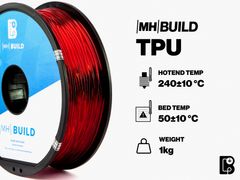
Siraya Tech Siraya Tech Flex TPU Air 65A - 82A Filament - 1.75mm (1kg)


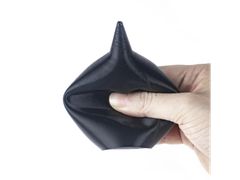
Fine-tune TPU hardness with Siraya Tech Flex TPU Air by simply adjusting print temperatures. Lower temperatures create denser, tougher parts, while higher temperatures activate foaming for softer, lighter prints—delivering up to 50% weight reduction with a smooth, skin-friendly finish. Optimized for fast, reliable printing, it’s ideal for wearables, grips, insoles, toys, and protective parts.
- Lightweight & Skin-Friendly
- Range of TPU Shore Hardness from 65A - 82A
- Perfect for wearables, grips, toys, and functional parts
| List Price: | $49.99 |
|---|---|
| Price: | $49.99 |
| Price: | $... |
| Order Now: | Ships calculating... Free U.S. Shipping |
Siraya Tech Flex TPU Air
Active Foaming with Adjustable Hardness
Siraya Tech Flex TPU Air is an advanced active-foaming TPU filament that allows you to fine-tune hardness, density, and weight through print temperature control. It delivers soft, lightweight, and skin-friendly parts while maintaining excellent elasticity, durability, and fast print performance.
Key Features of the Siraya Tech Flex TPU Air 65A - 82A Filament:
- Adjustable Hardness (65A–82A): Control softness and strength by adjusting print temperatures
- Ultra-Light: Active foaming technology produces ultra-light parts without sacrificing flexibility or resilience
- Soft Finish: Smooth, comfortable surface ideal for wearables, grips, and medical accessories
- Easy & Fast to Print: Optimized flow supports extrusion rates up to 12 mm³/s
- Versatile Applications: Perfect for sports gear, insoles, toys, protective covers, and other flexible components
Dynamic Control
Flex TPU Air filament offers adjustable hardness from 65A to 82A through print temperature control. Lower temperatures create tougher, denser parts, while higher temperatures activate foaming for a softer, lighter structure—delivering flexible, lightweight performance for functional and creative 3D printing.
- Achieve a range of Shore A Hardness
- Flexible and lightweight
- Perfect for functional and creative parts

Recommended Print Settings
| Recommended Settings | |
| Nozzle Temperature | 230 - 270 °C |
| Recommended Nozzle Diameter | 0.4 - 0.8 mm |
| Recommended Build Surface | Glass, PEI, BuildTak |
| Build Plate Temperature | 30 - 45 °C |
| Cooling Fan Speed | 100% |
| Print Speed | 30 - 60 mm/s |
| Retraction Distance | 0 mm |
| Retraction Speed | 0 mm/min |
Temperature vs Hardness & Flow (Approx. Guide)
| Print Temp | Approx. Shore Hardness | Properties | Starting Flow Rate |
| 230 - 240 °C | ~85A | Denser, Stiffer, Less Foaming & Texture |
~85% - 90% |
| 250 °C | ~75A | Balanced Foaming Lighter & Softer |
~65% - 70% |
| 260 °C | ~70A | Optimal Balance, Good Foaming & Softness |
~55% - 60% |
| 270 °C | ~65A | Max Foaming, Lightest, Softest, Max Texture |
~50% - 55% |
*Note: Exact hardness and optimal flow rate depend on your specific printer, nozzle size, and other settings. Use his table as a starting print for calibration.
Printing Tips
- Drying & Storage: TPU Air is hygroscopic.
- Upon Opening: Immediately place spool in a filament dryer or a sealed container with active desiccant, aiming for < 15% humidity). Print directly from the dry box if possible.
- Storage: Store in the provided resealable bag with a desiccant pack. Ensure it is tightly sealed.
- Drying: If moisture absorption is suspected, dry the filament at 70 - 80°C for 4 - 6 hours in a filament dryer. Find filament dryers here.
- Preparing for Printing:
- Oozing: Active foaming materials naturally expand in the hotend, causing oozing. For best practices, turn off retraction.
- Minimize Travel: Avoid printing multiple objects and use your slicer's sequential printing feature if available. Models with continuous extrusion paths will yield the best results.
- Plate Adhesion: If prints bond too strongly, use a release agent like PVP glue stick, Magigoo, or even a light mist of Windex before printing, and ensure the bed is completely cool before removal. If your print is not adhering, ensure the bed is clean and perfectly leveled. A slightly slower, wider first layer can improve adhesion.